Skip to content

TrueCommunity

Community, courses and messages inside your own WordPress site.

  • Home
  • Pricing
  • Docs
  • Contact
  • Log in
  • Download

Getting Started

5
  • What is TrueCommunity?
  • Install TrueCommunity
  • Install TrueCommunity Pro and activate your license
  • Quick setup: launch your community in 5 minutes
  • Find your way around the community

Settings

5
  • Name your community and change its URL
  • General settings: logos and upload limits
  • Turn features on or off (Modules)
  • Email settings and notification emails
  • Migrate existing users

Activity Feed

5
  • Create a post
  • Create a poll
  • Like, react and comment
  • Bookmarks: save posts for later
  • Edit, delete, share and search posts

Members & Profiles

3
  • Your profile
  • Find members and add friends
  • Block a member

Groups

4
  • Groups explained: public, private and locked
  • Create and edit a group
  • Join, post in and leave a group
  • Manage group members and roles

Courses

6
  • Create a course
  • Add sections and lessons
  • Create quizzes
  • Enroll students and manage course members
  • Take a course (student guide)
  • See quiz results

Messages & Notifications

2
  • Send private messages
  • Notifications

Pro: Advanced Courses

8
  • Course settings
  • Add topics inside lessons
  • Lesson and topic rules
  • Review assignments
  • Challenge exam: let students test out
  • Sell a course
  • Reset a student’s progress
  • Quiz submission details

Pro: Gamification

8
  • Gamification overview and setup
  • Tracked activities
  • Ranks
  • Badges
  • Challenges
  • Manage member points
  • Gamification settings
  • The Rewards page (member guide)

FAQ & Troubleshooting

2
  • Frequently asked questions
  • Troubleshooting
View Categories
  • Home
  • Docs
  • Getting Started
  • Install TrueCommunity Pro and activate your license

Install TrueCommunity Pro and activate your license

2 min read

0:00 / 1:40
  • View as Markdown Open this page as plain Markdown (opens in a new tab)
  • Open in ChatGPT Ask questions about this page (opens in a new tab)
  • Open in Claude Ask questions about this page (opens in a new tab)
  • Open in Google AI Studio Ask questions about this page (Google account required) (opens in a new tab)

TrueCommunity Pro is an add-on. It needs the free TrueCommunity plugin to be installed and active first.

Step 1: Download Pro #

After you buy, open your purchase receipt or your Account page on our website. There you will find:

  • the TrueCommunity Pro ZIP file
  • your license key

Step 2: Install the plugin #

  1. In your dashboard, go to Plugins → Add New Plugin → Upload Plugin.
  2. Choose truecommunity-pro.zip and click Install Now.
  3. Click Activate Plugin.

Important: If you see the message “TrueCommunity Pro requires the TrueCommunity plugin to be installed and active”, install and activate the free plugin first, then activate Pro again.

Step 3: Activate your license #

  1. Go to TrueCommunity → License.
  2. Paste your key into License key.
  3. Click Activate License.

When it works, the status changes to Active and you see “License activated. Plugin updates are now enabled.”
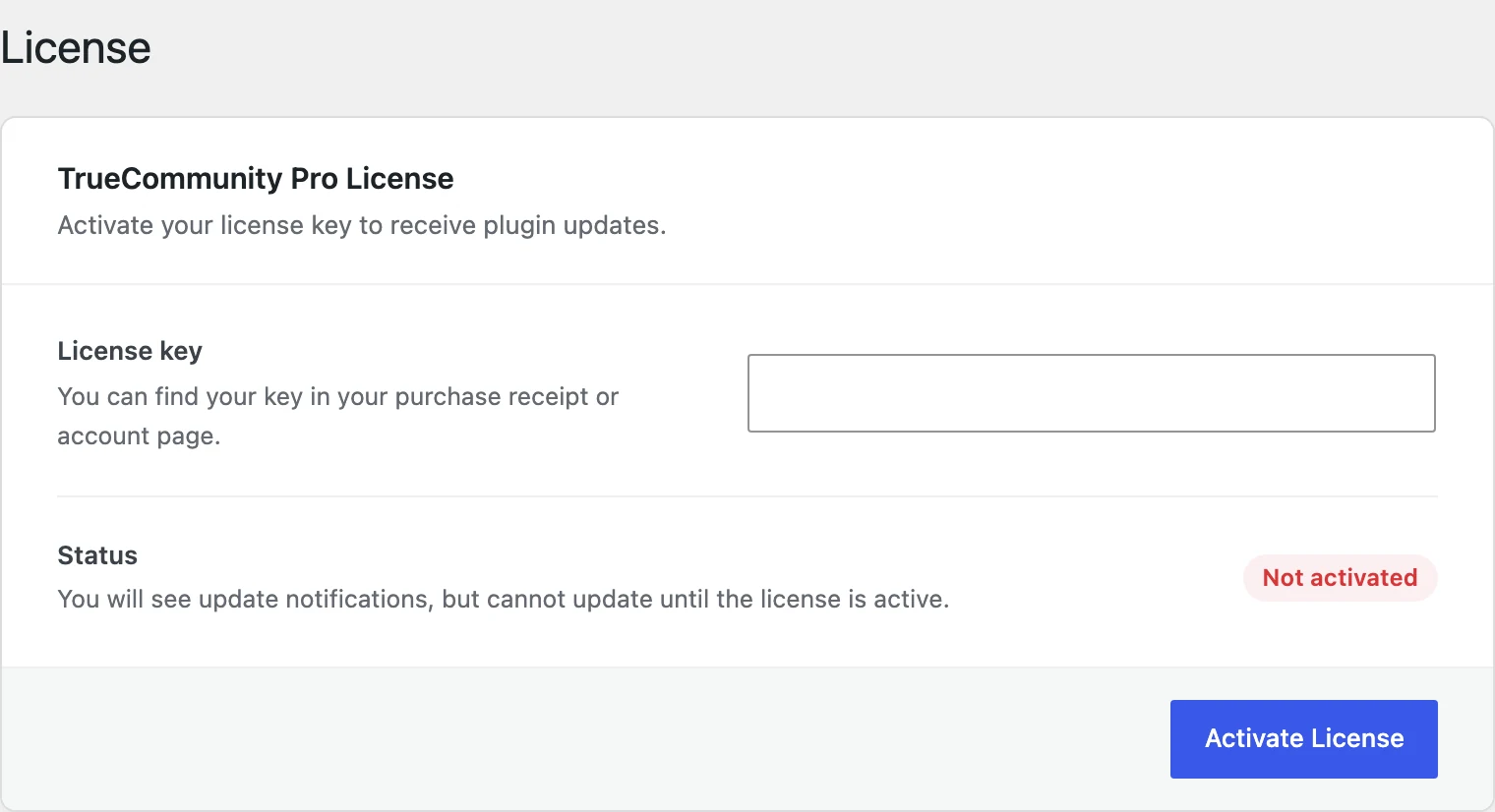
The License screen
The License screen

What the license does #

Your license gives you plugin updates and support. All Pro features work as soon as the plugin is active. Without an active license you still see update notices, but you cannot install the updates.

License messages and what to do #

MessageWhat to do
Invalid license keyCheck that you copied the full key, with no spaces at the start or end.
Your license key has expiredRenew your license from your account page to get updates again.
Your license key has reached its activation limitDeactivate the license on a site you no longer use, or upgrade to a plan with more sites.
This license key does not belong to TrueCommunity ProThe key is for a different product. Use the TrueCommunity Pro key from your receipt.
Your license key has been disabledPlease contact support.

Tip: Moving to a new domain? Click Deactivate License on the old site first. This frees the activation so you can use it on the new site.

Updated on October 9, 2026

What are your Feelings

  • Happy
  • Normal
  • Sad

Share This Article :

  • Facebook
  • X
  • LinkedIn
  • Pinterest
Install TrueCommunityQuick setup: launch your community in 5 minutes
Table of Contents
  • Step 1: Download Pro
  • Step 2: Install the plugin
  • Step 3: Activate your license
  • What the license does
  • License messages and what to do
  • Features
  • Pricing
  • Contact
  • Privacy
  • Terms
  • Refunds

© 2026 TrueCommunity