Skip to content

TrueCommunity

Community, courses and messages inside your own WordPress site.

  • Home
  • Pricing
  • Docs
  • Contact
  • Log in
  • Download

Getting Started

5
  • What is TrueCommunity?
  • Install TrueCommunity
  • Install TrueCommunity Pro and activate your license
  • Quick setup: launch your community in 5 minutes
  • Find your way around the community

Settings

5
  • Name your community and change its URL
  • General settings: logos and upload limits
  • Turn features on or off (Modules)
  • Email settings and notification emails
  • Migrate existing users

Activity Feed

5
  • Create a post
  • Create a poll
  • Like, react and comment
  • Bookmarks: save posts for later
  • Edit, delete, share and search posts

Members & Profiles

3
  • Your profile
  • Find members and add friends
  • Block a member

Groups

4
  • Groups explained: public, private and locked
  • Create and edit a group
  • Join, post in and leave a group
  • Manage group members and roles

Courses

6
  • Create a course
  • Add sections and lessons
  • Create quizzes
  • Enroll students and manage course members
  • Take a course (student guide)
  • See quiz results

Messages & Notifications

2
  • Send private messages
  • Notifications

Pro: Advanced Courses

8
  • Course settings
  • Add topics inside lessons
  • Lesson and topic rules
  • Review assignments
  • Challenge exam: let students test out
  • Sell a course
  • Reset a student’s progress
  • Quiz submission details

Pro: Gamification

8
  • Gamification overview and setup
  • Tracked activities
  • Ranks
  • Badges
  • Challenges
  • Manage member points
  • Gamification settings
  • The Rewards page (member guide)

FAQ & Troubleshooting

2
  • Frequently asked questions
  • Troubleshooting
View Categories
  • Home
  • Docs
  • Getting Started
  • What is TrueCommunity?

What is TrueCommunity?

2 min read

0:00 / 1:48
  • View as Markdown Open this page as plain Markdown (opens in a new tab)
  • Open in ChatGPT Ask questions about this page (opens in a new tab)
  • Open in Claude Ask questions about this page (opens in a new tab)
  • Open in Google AI Studio Ask questions about this page (Google account required) (opens in a new tab)

TrueCommunity turns your WordPress website into a private social network. Your members post updates, join groups, send private messages and take online courses — all on your own website, with the WordPress accounts they already have.

You do not need any other platform. Everything is stored in your own WordPress database.
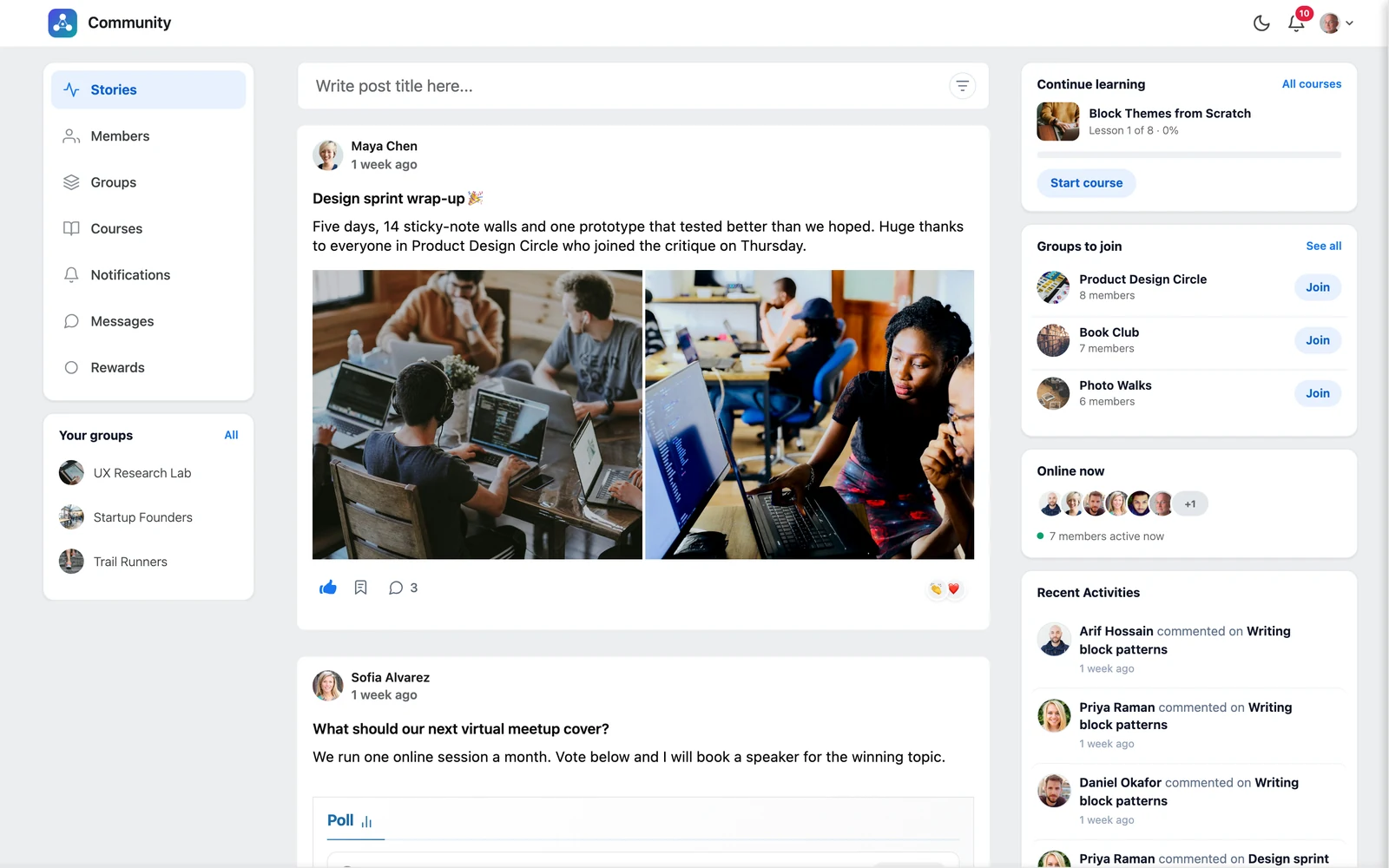
The TrueCommunity activity feed

What you can build #

  • A membership community where members talk and help each other
  • A course community where students learn and discuss in one place
  • A customer or support community for your brand
  • A club, school or team space with its own groups

The main parts #

PartWhat it does
Stories (feed)Members share posts with text, photos, videos, files and polls. Others like, react and comment.
MembersA member directory, profiles, friend requests and blocking.
GroupsSmaller spaces inside your community. Each group has its own feed and members.
CoursesBuild courses with sections, lessons and quizzes. Students track their progress.
MessagesPrivate one-to-one chats with file sharing.
NotificationsIn-app alerts and emails when something happens.

Free and Pro #

TrueCommunity is free on WordPress.org. TrueCommunity Pro is an add-on that sits on top of the free plugin and adds more power to courses, plus a full gamification system.

FeatureFreePro
Activity feed, polls, reactions, comments✓✓
Member profiles, friends and blocking✓✓
Public, private and locked groups✓✓
Private messages✓✓
Notifications and branded emails✓✓
Courses, lessons and quizzes (7 question types)✓✓
Course settings: order, prerequisites, seat limit, open dates, access expiry–✓
Topics inside lessons–✓
Lesson rules: drip release, timer, required video, file upload, live classes and attendance–✓
Assignments with approval and feedback–✓
Challenge exam (“test out” of a course)–✓
Sell courses with WooCommerce or Easy Digital Downloads–✓
Reset a student’s course progress–✓
Gamification: points, ranks, badges, challenges and leaderboard–✓

In this documentation, anything that needs Pro is marked with a PRO badge.

Good to know: TrueCommunity Pro does not replace the free plugin. You keep the free plugin installed and active, and add Pro next to it.

Updated on October 9, 2026

What are your Feelings

  • Happy
  • Normal
  • Sad

Share This Article :

  • Facebook
  • X
  • LinkedIn
  • Pinterest
Find your way around the communityInstall TrueCommunity
Table of Contents
  • What you can build
  • The main parts
  • Free and Pro
  • Features
  • Pricing
  • Contact
  • Privacy
  • Terms
  • Refunds

© 2026 TrueCommunity