Skip to content

TrueCommunity

Community, courses and messages inside your own WordPress site.

  • Home
  • Pricing
  • Docs
  • Contact
  • Log in
  • Download

Getting Started

5
  • What is TrueCommunity?
  • Install TrueCommunity
  • Install TrueCommunity Pro and activate your license
  • Quick setup: launch your community in 5 minutes
  • Find your way around the community

Settings

5
  • Name your community and change its URL
  • General settings: logos and upload limits
  • Turn features on or off (Modules)
  • Email settings and notification emails
  • Migrate existing users

Activity Feed

5
  • Create a post
  • Create a poll
  • Like, react and comment
  • Bookmarks: save posts for later
  • Edit, delete, share and search posts

Members & Profiles

3
  • Your profile
  • Find members and add friends
  • Block a member

Groups

4
  • Groups explained: public, private and locked
  • Create and edit a group
  • Join, post in and leave a group
  • Manage group members and roles

Courses

6
  • Create a course
  • Add sections and lessons
  • Create quizzes
  • Enroll students and manage course members
  • Take a course (student guide)
  • See quiz results

Messages & Notifications

2
  • Send private messages
  • Notifications

Pro: Advanced Courses

8
  • Course settings
  • Add topics inside lessons
  • Lesson and topic rules
  • Review assignments
  • Challenge exam: let students test out
  • Sell a course
  • Reset a student’s progress
  • Quiz submission details

Pro: Gamification

8
  • Gamification overview and setup
  • Tracked activities
  • Ranks
  • Badges
  • Challenges
  • Manage member points
  • Gamification settings
  • The Rewards page (member guide)

FAQ & Troubleshooting

2
  • Frequently asked questions
  • Troubleshooting
View Categories
  • Home
  • Docs
  • Getting Started
  • Find your way around the community

Find your way around the community

1 min read

0:00 / 1:21
  • View as Markdown Open this page as plain Markdown (opens in a new tab)
  • Open in ChatGPT Ask questions about this page (opens in a new tab)
  • Open in Claude Ask questions about this page (opens in a new tab)
  • Open in Google AI Studio Ask questions about this page (Google account required) (opens in a new tab)

Every community page uses the same simple layout, so members always know where things are.
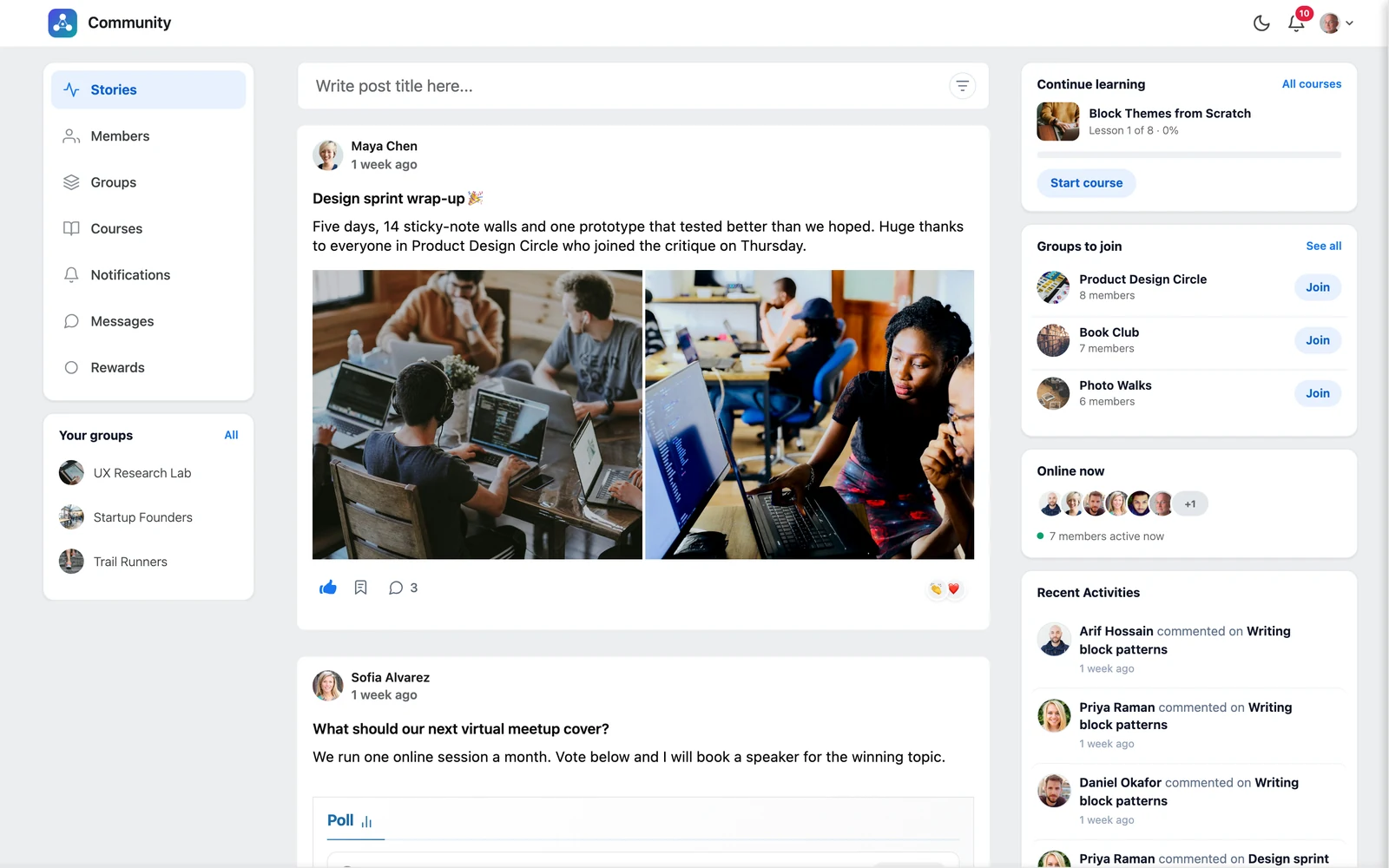
The community layout

Top bar #

  • Logo and name — on the left. Click it to go back to the feed.
  • Dark mode — the moon icon switches the whole community to dark colours. Click the sun to switch back. Each member’s choice is saved to their account.
  • Notifications bell — shows a red counter when there is something new.
  • Your avatar — opens your menu: Profile, Bookmarks and Logout.

Left menu #

The left menu lists the parts of your community: Stories, Members, Groups, Courses, Notifications and Messages. With Pro and gamification turned on, you also see Rewards.

Under the menu, Your groups lists the groups you belong to, so you can jump into them quickly.

Good to know: If you turn a module off in TrueCommunity → Modules, its menu item disappears for everyone.

Right sidebar #

The right side shows helpful cards:

  • Continue learning — the course you are taking, how far you are, and a button to go on.
  • Groups to join — groups you may like, with a quick Join or Request button.
  • Online now — members who are active right now.
  • Recent Activities — the latest comments and activity in the community.

Dark mode #
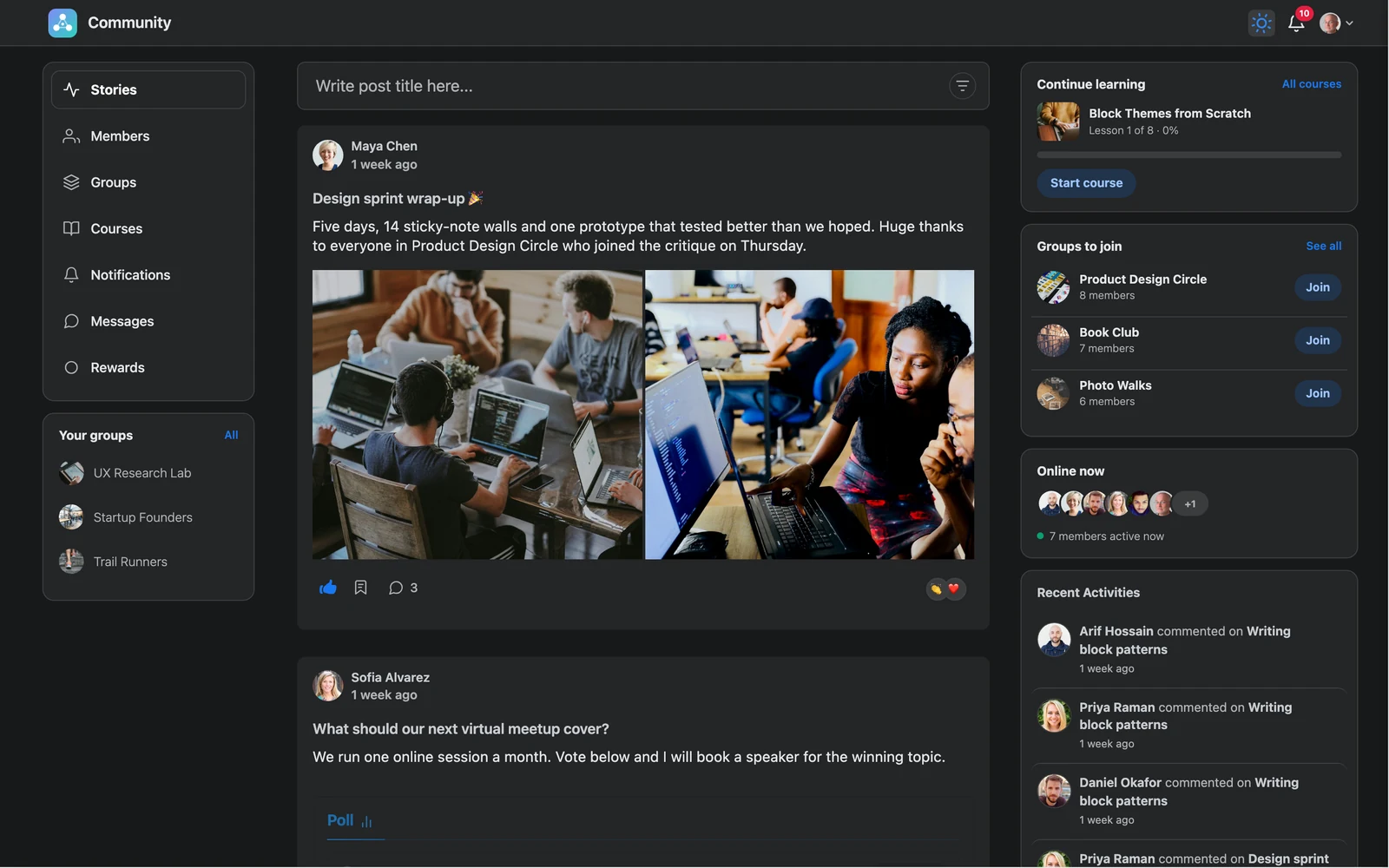
Dark mode
Dark mode

On a phone #

On small screens the left menu moves behind the ☰ button at the top, and the sidebar cards open from the top bar. Everything else works the same way.
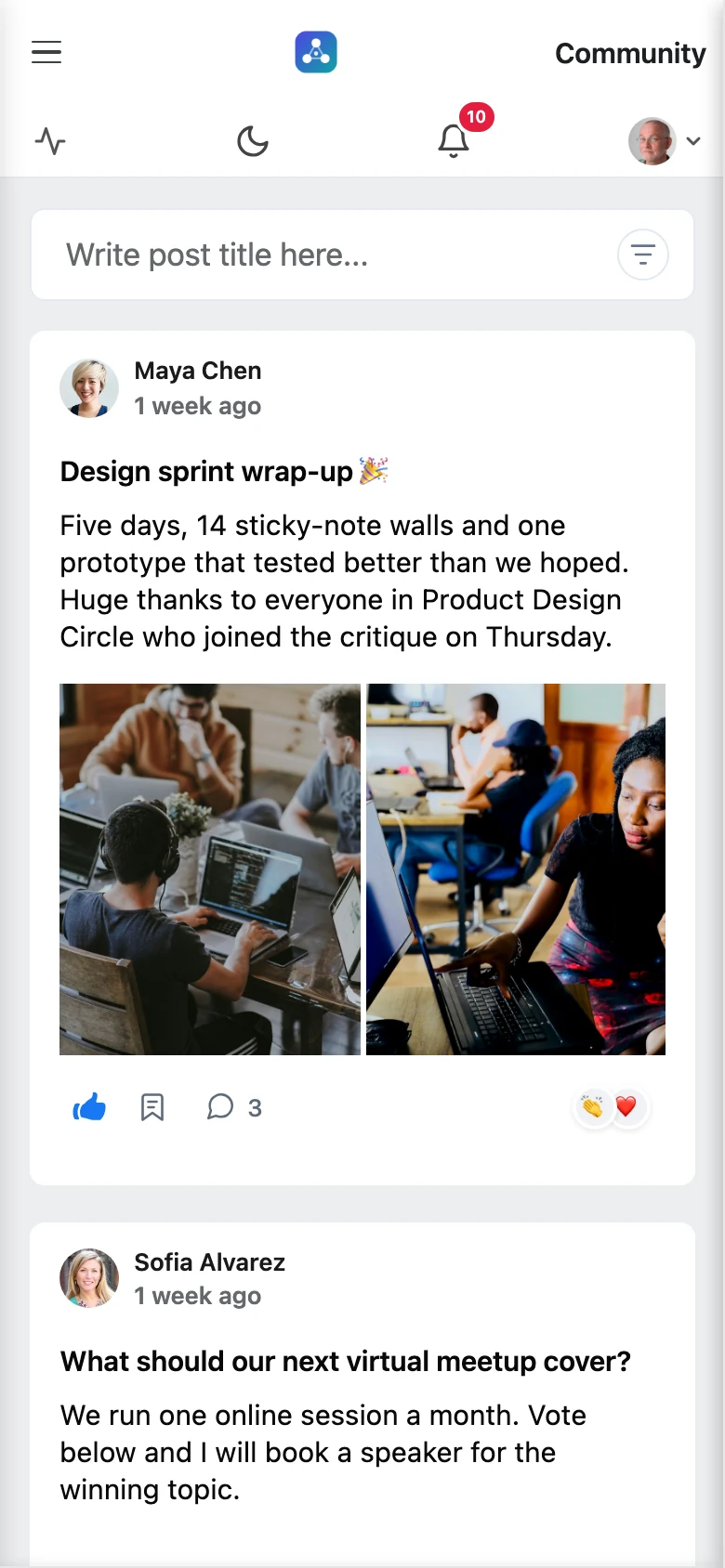
The community on a phone
Updated on October 9, 2026

What are your Feelings

  • Happy
  • Normal
  • Sad

Share This Article :

  • Facebook
  • X
  • LinkedIn
  • Pinterest
Quick setup: launch your community in 5 minutesWhat is TrueCommunity?
Table of Contents
  • Top bar
  • Left menu
  • Right sidebar
  • Dark mode
  • On a phone
  • Features
  • Pricing
  • Contact
  • Privacy
  • Terms
  • Refunds

© 2026 TrueCommunity