Pro feature: This page needs TrueCommunity Pro.
With Pro, every course gets a Settings tab. Course admins open the course and click Settings. Change what you need and click Save Settings.
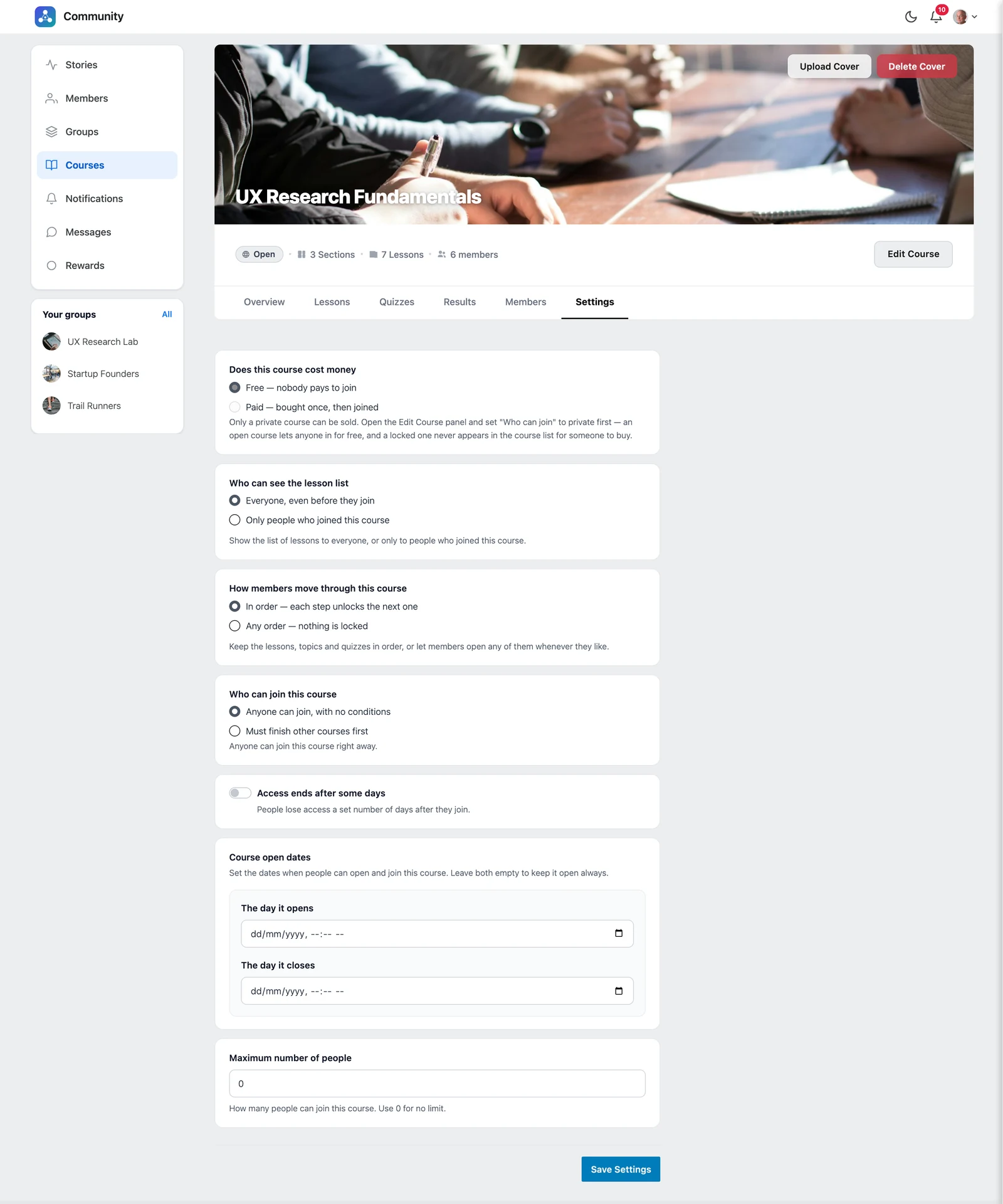
Does this course cost money #
- Free — nobody pays to join
- Paid — bought once, then joined. See Sell a course.
Who can see the lesson list #
- Everyone, even before they join — a good “shop window” for your course
- Only people who joined this course
How members move through this course #
| Option | What happens |
|---|---|
| In order — each step unlocks the next one | Students must finish each lesson, topic and quiz before the next one opens. |
| Any order — nothing is locked | Students can open any lesson whenever they like. Lesson rules such as a timer or attendance still apply. |
Who can join this course #
- Anyone can join, with no conditions
- Must finish other courses first — choose the courses students need to finish before they can join this one. Then choose if they must finish all of them, or if any one is enough.
Students who do not meet the rule see “You do not meet the requirements to enroll in this course.”
Access ends after some days #
Turn this on to give students access for a set number of days after they join — for example 365 days. When the time is up, they see Access expired.
Tick Also delete their progress if their finished lessons should be removed when access ends.
Course open dates #
Set The day it opens and The day it closes to run a course only between two dates — great for a cohort or a launch. Before the open date, students see “This course opens on…”. After the close date, enrollment is closed. Leave both empty to keep the course always open.
Maximum number of people #
Limit the number of students, for example 30 seats. When it is full, the course shows Course is full. Use 0 for no limit.


