Pro feature: This page needs TrueCommunity Pro.
A challenge is a race. Between a start and an end time, members score for the activities you choose. When it ends, the top places win points.
Go to Gamification Pro → Challenges and click Add New.
1. Name it #
Enter a title and a short description, like “October Learning Sprint — finish the most lessons this month!”
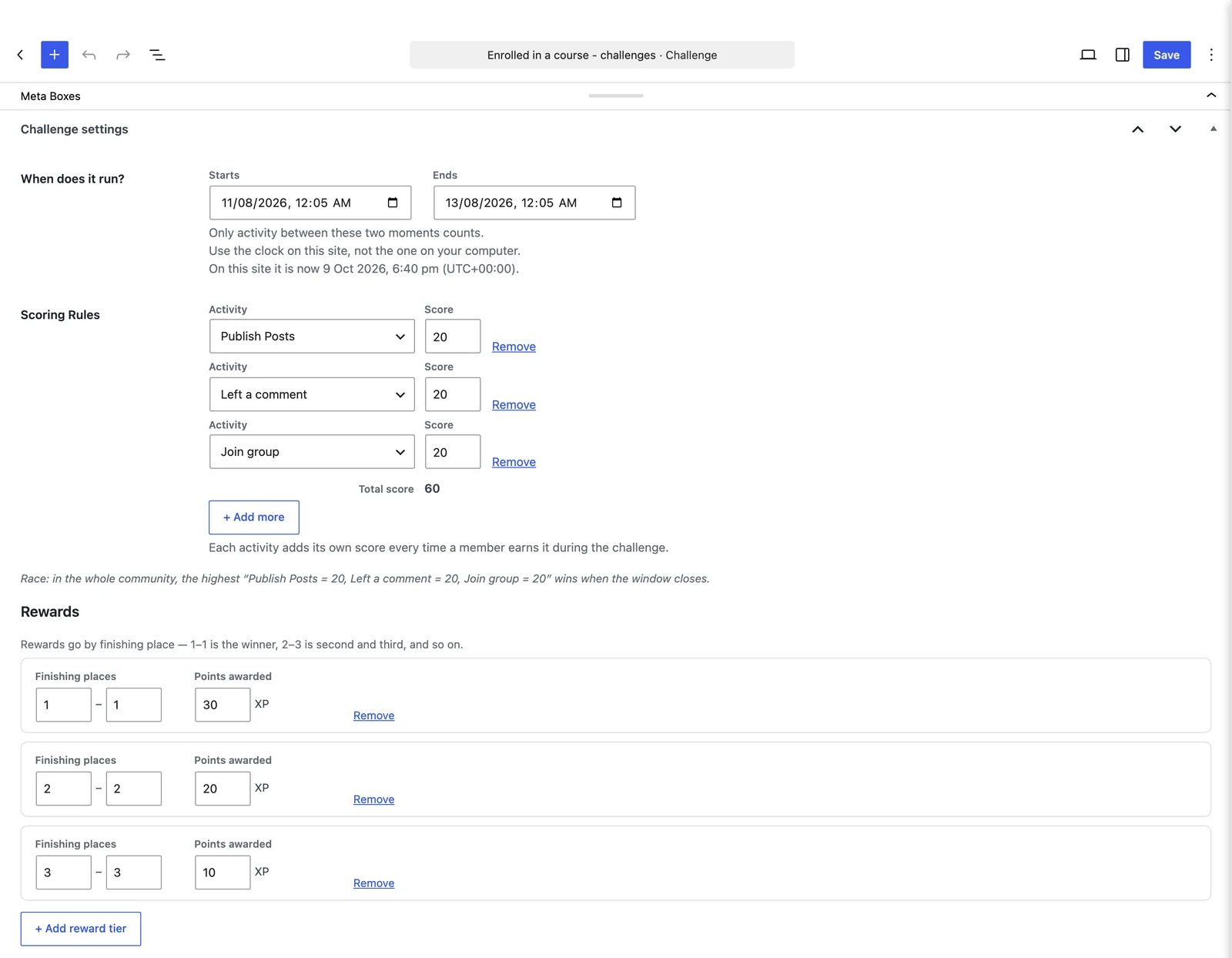
2. When does it run? #
Set Starts and Ends. Only activity between these two moments counts.
Good to know: Times use your site’s clock, not your computer’s. The screen shows the current site time to help you.
3. Scoring rules #
Pick an Activity and its Score. Every time a member does that activity during the challenge, they get that score. Click + Add more for more activities.
For example: Completed a lesson = 10, Passed a quiz = 20, Left a comment = 2.
4. Rewards #
Set Finishing places and the Points awarded:
| Finishing places | Points awarded |
|---|---|
| 1 – 1 | 300 |
| 2 – 3 | 150 |
| 4 – 10 | 50 |
So 1st place gets 300, 2nd and 3rd get 150 each, and 4th to 10th get 50 each. Click + Add reward tier for more rows.
Click Publish. Every member takes part automatically.
During and after the challenge #
Members follow the live standings on Rewards → Challenges. When the end time passes, the winners are paid and notified.
To see or manage entries, go to Gamification Pro → Challenge Participants. You can remove a participant — their score and any points the challenge paid them are removed too.


