If your site had users before you installed TrueCommunity, they need to be added to the community once. TrueCommunity does this by itself in the background, in batches every 15 minutes. The Migrate Users screen lets you do it all right now instead.
Go to TrueCommunity → Migrate Users.
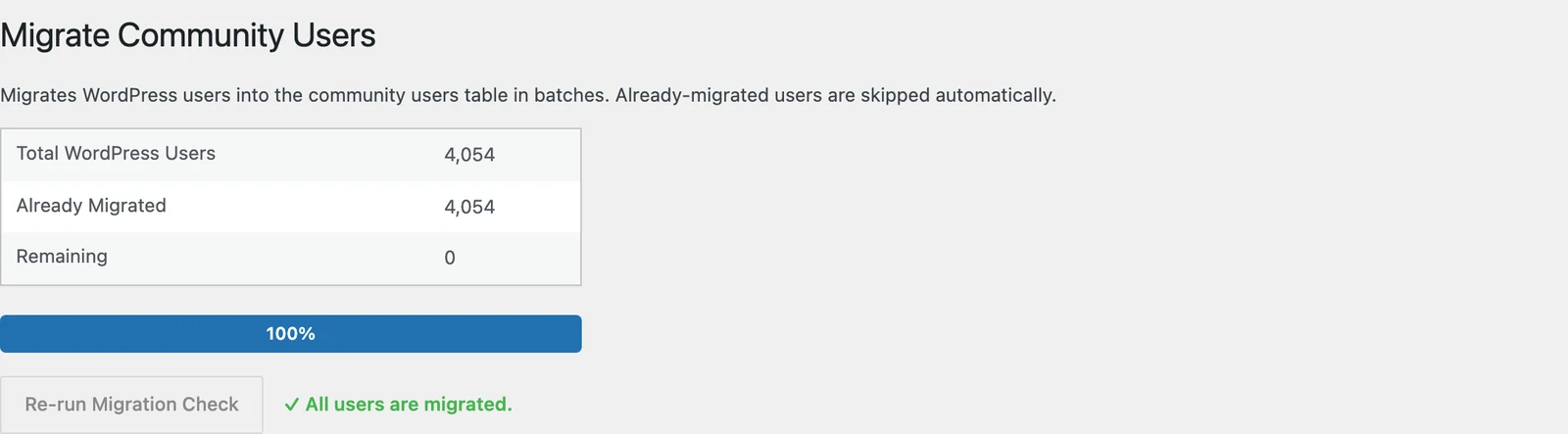
The screen shows:
- Total WordPress Users — everyone on your site
- Already Migrated — users already in the community
- Remaining — users still to add
Run the migration #
- Click Start Migration.
- Keep the page open. Users are moved in batches of 100 and the progress bar fills up.
- When it says “Migration complete! All users have been migrated.”, you are done.
You can click Pause at any time and Start Migration again later — it continues from where it stopped. Users already migrated are always skipped, so running it twice is safe.
Good to know: New users who register after TrueCommunity is installed are added to the community automatically. You only need this screen once, for your old users.


