Go to TrueCommunity → General.
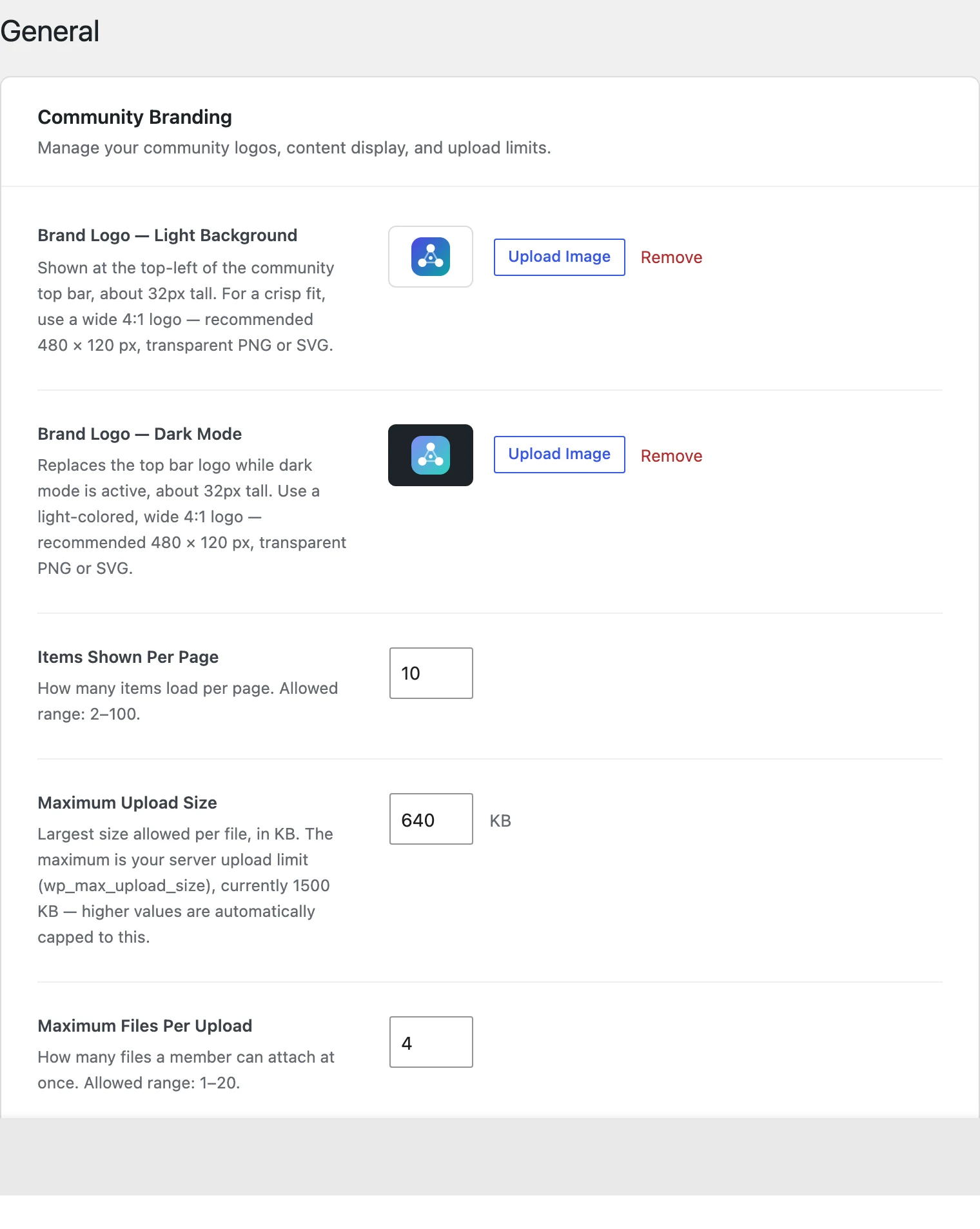
Brand Logo — Light Background #
Shown at the top-left of the community top bar, about 32px tall.
- Best size: 480 × 120 px (a wide 4:1 logo)
- Best format: transparent PNG or SVG
Brand Logo — Dark Mode #
Replaces the logo when a member turns on dark mode. Use a light-coloured version of your logo, same size as above.
Tip: If you skip the dark logo, members in dark mode may see a dark logo on a dark background. It is worth uploading both.
Items Shown Per Page #
How many posts, groups, courses or members load at once before the Load More button appears. Allowed: 2 to 100. Default: 10.
Maximum Upload Size #
The biggest file a member can upload, in KB. It can never be higher than your server’s own upload limit — the screen shows that limit. If you type a bigger number, it is lowered to the server limit automatically.
Good to know: 1024 KB = 1 MB. So 5 MB is 5120 KB. To raise the server limit, ask your hosting company to increase upload_max_filesize and post_max_size.
Maximum Files Per Upload #
How many files a member can attach to one post or message. Allowed: 1 to 20. Default: 8.
Click Save Changes to save.


