
Pro feature: This page needs TrueCommunity Pro with the Gamification module turned on.
Go to TrueCommunity → Gamification and open the Member Points tab.
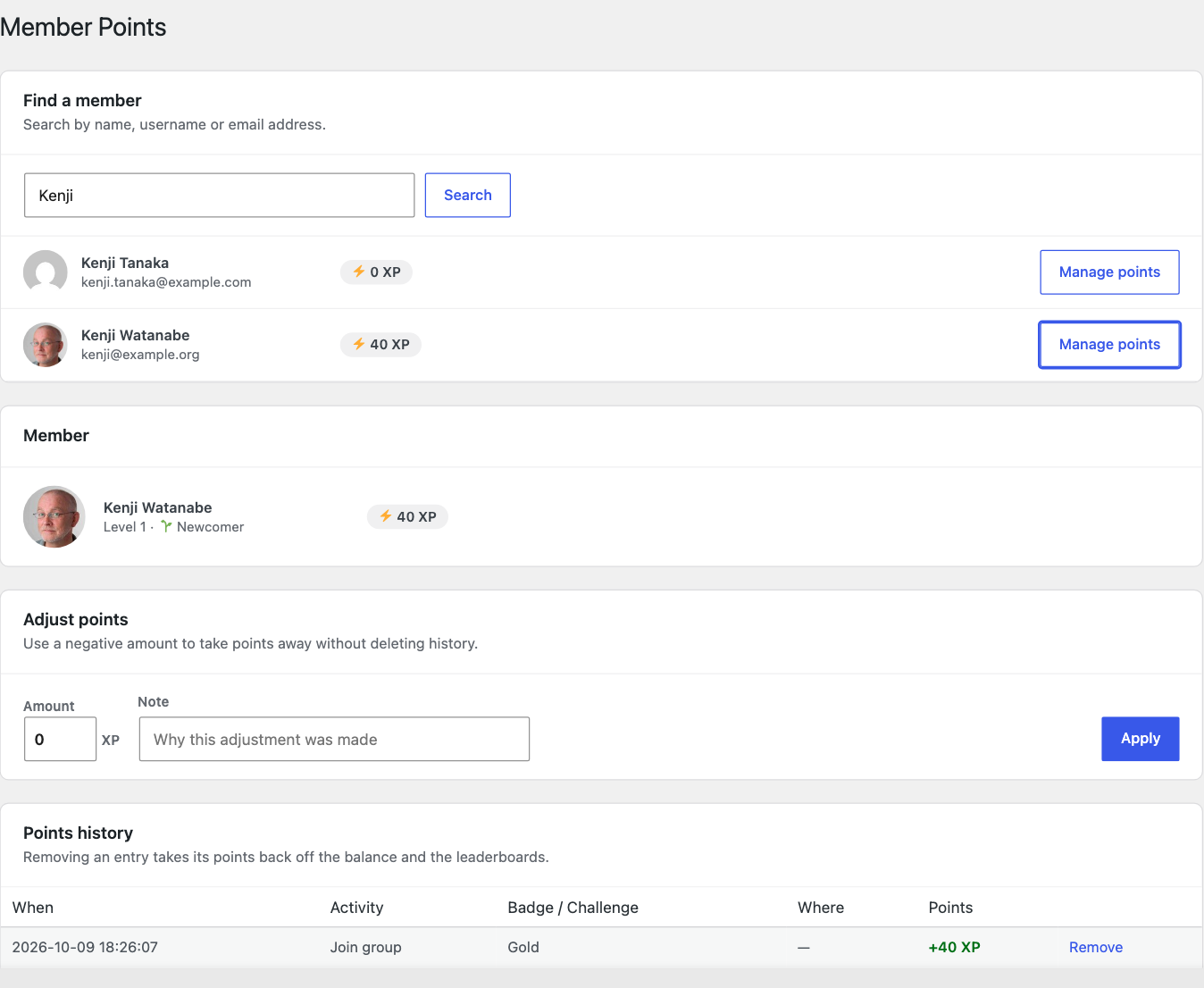
Search for a member by name, username or email, then click Manage points.
Adjust points #
Enter an Amount and a Note saying why, then click Apply. Use a negative amount, like -50, to take points away while keeping the history.
Points history #
Every points movement is listed: when it happened, the activity, the badge or challenge that paid it, where, and the points. Click Remove on an entry to take its points back off the balance and the leaderboards.
Start a member over #
Use Remove points to delete the member’s points, history and challenge entries. Any badge that no longer holds up is taken back.
Careful: Starting a member over cannot be undone.
When to use what #
| You want to | Do this |
|---|---|
| Thank a member for helping out | Adjust points with a positive amount and a note |
| Correct a mistake but keep a record | Adjust points with a negative amount |
| Undo one payout completely | Remove that entry from the history |
| Clear a test account | Remove points (start over) |


