
Pro feature: This page needs TrueCommunity Pro with the Gamification module turned on.
Go to TrueCommunity → Gamification and open the Rewards tab.
Rewards give members something real when they earn a badge, finish in a challenge’s top places or reach a rank: a store coupon, a discount code, a place in a course or a place in a group.
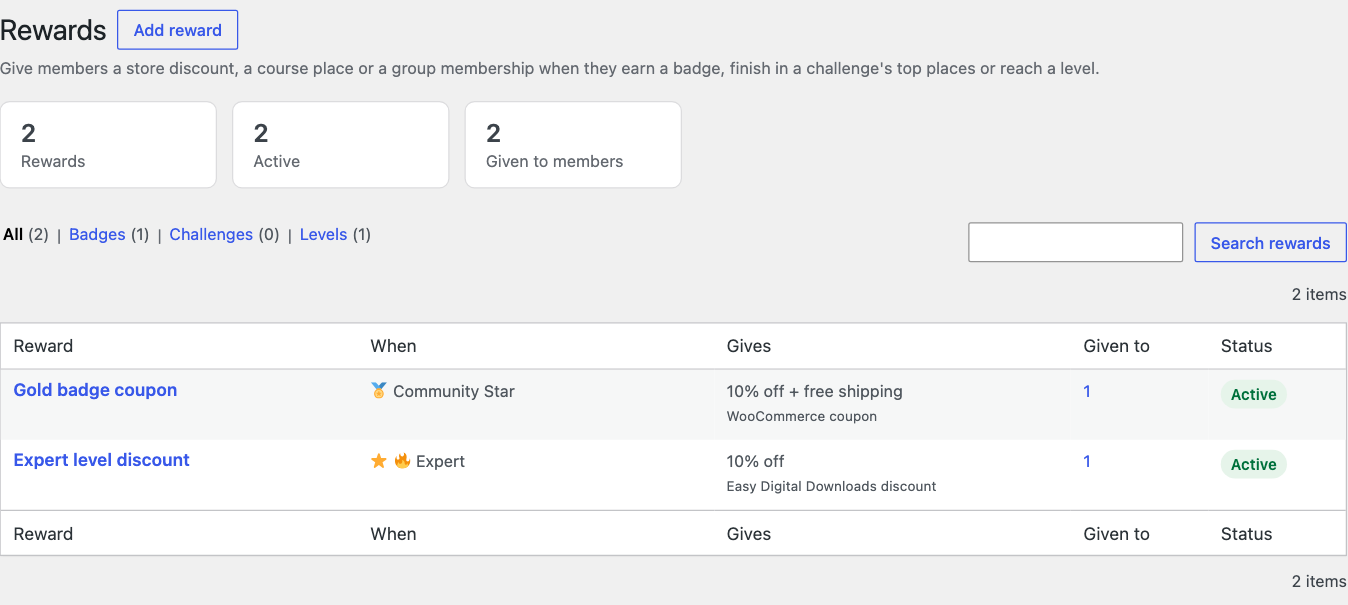
The list shows each reward, what triggers it, what it gives, how many members have it and whether it is active. Filter by Badges, Challenges or Levels. Hover a reward for Edit, Recipients, Pause and Delete.
Add a reward #
Click Add reward. You can also start from a badge (Perks for earners) or a challenge (Bonus prizes). The form has three parts.
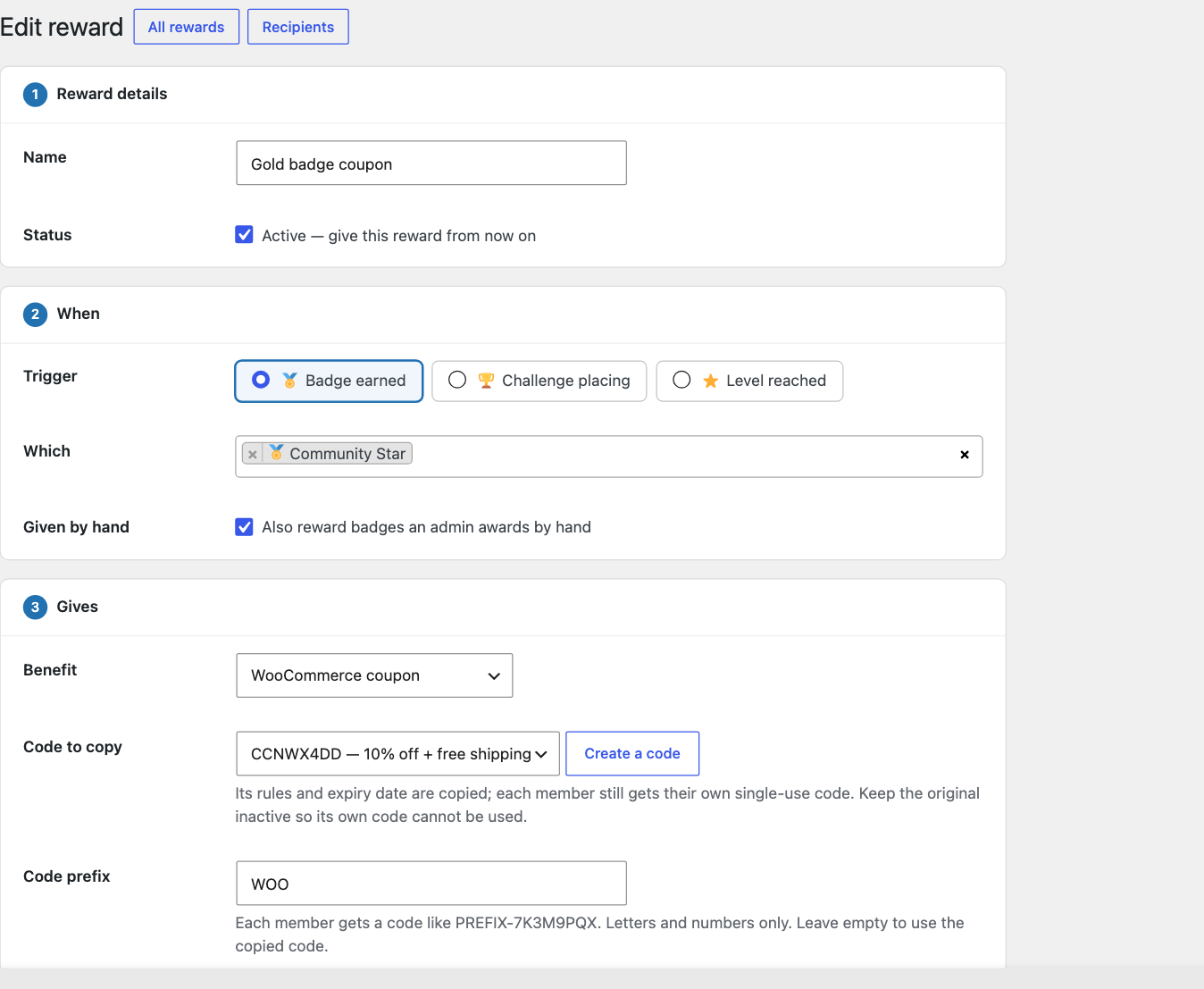
1. Reward details #
- Name: for you; members see the benefit.
- Status: tick Active to give this reward from now on.
2. When #
| Trigger | Which | Extra option |
|---|---|---|
| Badge earned | One or more badges | Given by hand: also reward badges an admin awards by hand |
| Challenge placing | One or more challenges | Finishing places: 1 to 1 rewards the winner only; 1 to 3 rewards the podium |
| Level reached | One or more ranks |
3. Gives #
| Benefit | What to fill in |
|---|---|
| WooCommerce coupon | Code to copy: pick an existing coupon, or click Create a code. Its rules and expiry date are copied, and each member gets their own single-use code. Code prefix: codes look like PREFIX-7K3M9PQX (letters and numbers only). |
| Easy Digital Downloads discount | The same as the coupon: pick a discount code to copy and an optional prefix. |
| Course access | The course, and the role: Student or Instructor. |
| Group membership | The group, and the role: Member or Moderator. |
Tip: Keep the original coupon or discount code inactive, so nobody can use it directly. Members only use their own copies.
Click Save reward. If WooCommerce coupons are turned off, the form warns you, because members cannot use the codes at checkout until you turn them on.
Who gets it, and when #
- Each member gets a reward once per badge, challenge or rank.
- Challenge rewards arrive when the challenge ends and settles.
- Members who already qualified before you created the reward: open Recipients and use the button that gives the reward to every member who qualifies but has none.
- Pause stops new grants. Delete removes the reward; members keep what they were already given.
When something is taken back #
If a badge is taken back or a member is removed from a challenge, the reward goes with it: an unused code is removed from the member (a used one stays in the store for its order), and a course or group place returns to what it was.
See who has a reward #
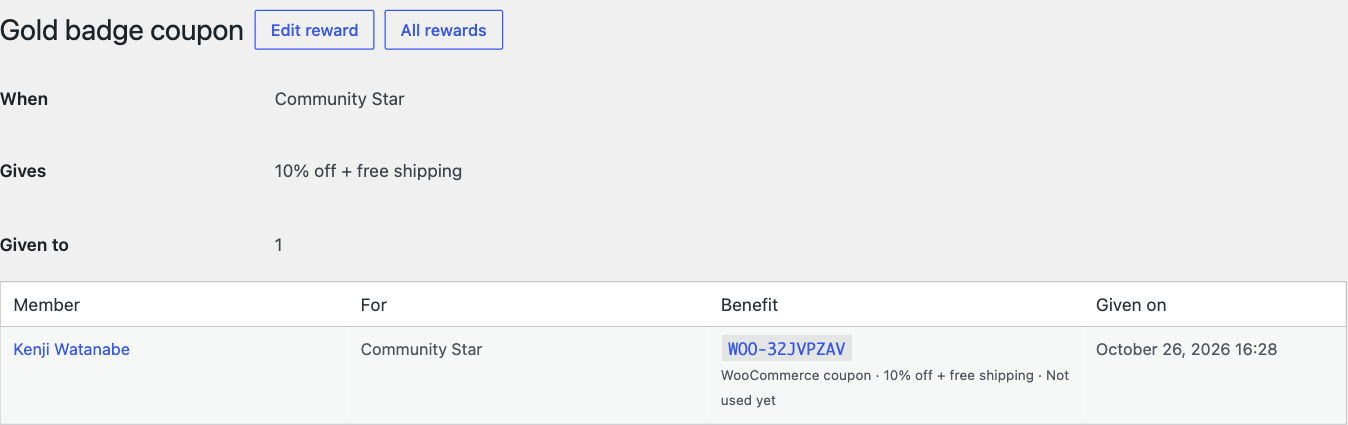
Click Recipients on a reward to see each member, what it was for, their code or place, whether it was used, and the date.
Members find their rewards under Rewards → My rewards. See The Rewards page.


